Serial to Ethernet
UART x1 or RS232 x1 or RS485 x1, up to 230 kbps



WIZ107/108SR Compatible Serial to Ethernet Module

UART x1 or RS232 x1 or RS485 x1, up to 230 kbps

IEEE 802.3/802.3u

5V I/O tolerance

Built-in ESD protection IC

Supports TCP server, TCP client, TCP server/client mixed mode, and UDP mode

Configured via Command, Configuration Tool, Web Server, CLI, and the WIZVSP (Virtual Serial Port) program
Supports debug logging, serial command switching, data packing, timers, and secure TCP options

Software & hardware compatible with WIZ107/108SR S2E Module
This section provides essential guides and manuals for setting up and configuring your device.Learn how to use various tools and interfaces—including command manuals, configuration utilities, web-based setup, and CLI tutorials—to efficiently manage and customize your product.
This section offers essential guides to help you get started, troubleshoot issues, and make the most of your device. Find setup instructions, developer resources, and support materials below.

This section provides essential software resources, including configuration tools, firmware, and source code for your device.
This section provides essential hardware resources, including schematics, 3D models, and part lists for your reference.
Complementary WIZnet solutions with diverse interfaces and performance levels
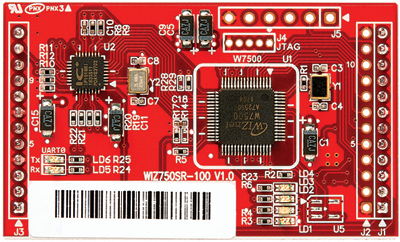

WIZ100SR Compatible Serial to Ethernet Module
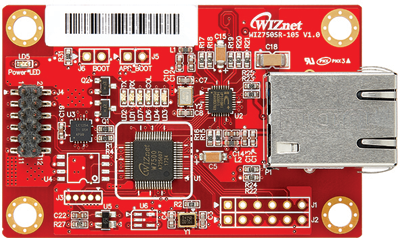
WIZ100SR Compatible Serial to Ethernet Module
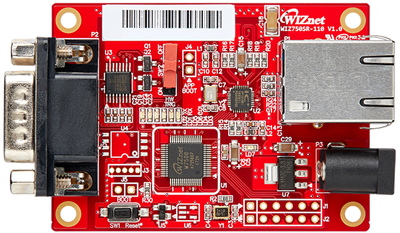
WIZ100SR Compatible Serial to Ethernet Module
.png)
The WIZ750SR-EVB (RS232/TTL) is a compact evaluation board optimized for Serial to Ethernet (S2E) applications, featuring an RS-232C connector and RJ45 port for versatile connectivity. Designed specifically for the WIZ750SR module and powered by the W7500 MCU, it offers an efficient platform for developing network-connected solutions across various applications like industrial automation and data acquisition systems.
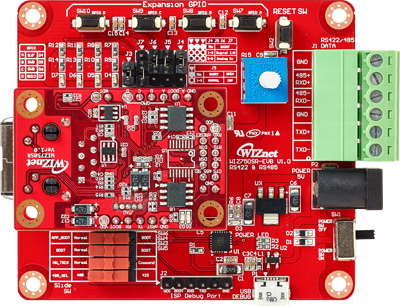
The WIZ750SR-EVB (RS422/RS485) is a compact evaluation board optimized for Serial to Ethernet applications, offering RS-422/RS-485 connectivity through an ECH381R connector and Ethernet networking via an RJ45 port. Powered by the W7500 MCU with integrated TCP/IP stack, it's ideal for industrial and automation projects requiring robust, long-distance communication.
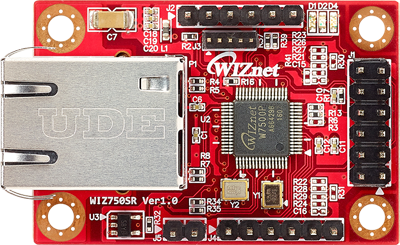
WIZ750SR


© 2026. WIZnet Co., Ltd. All Rights Reserved.


Find WIZnet products like the W5500, W5100S, W6100, and new ioNIC series chips. Enter product names, model numbers, or keywords to explore our range of networking solutions. Start your search now!


 Datasheet
 Docs
Docs Store
Store Subscribe Newsletter